Turn jobsite photos and spoken notes into time-and-location-stamped customer reports in minutes. For contractors, cleaners, roofers, service techs & property crews.
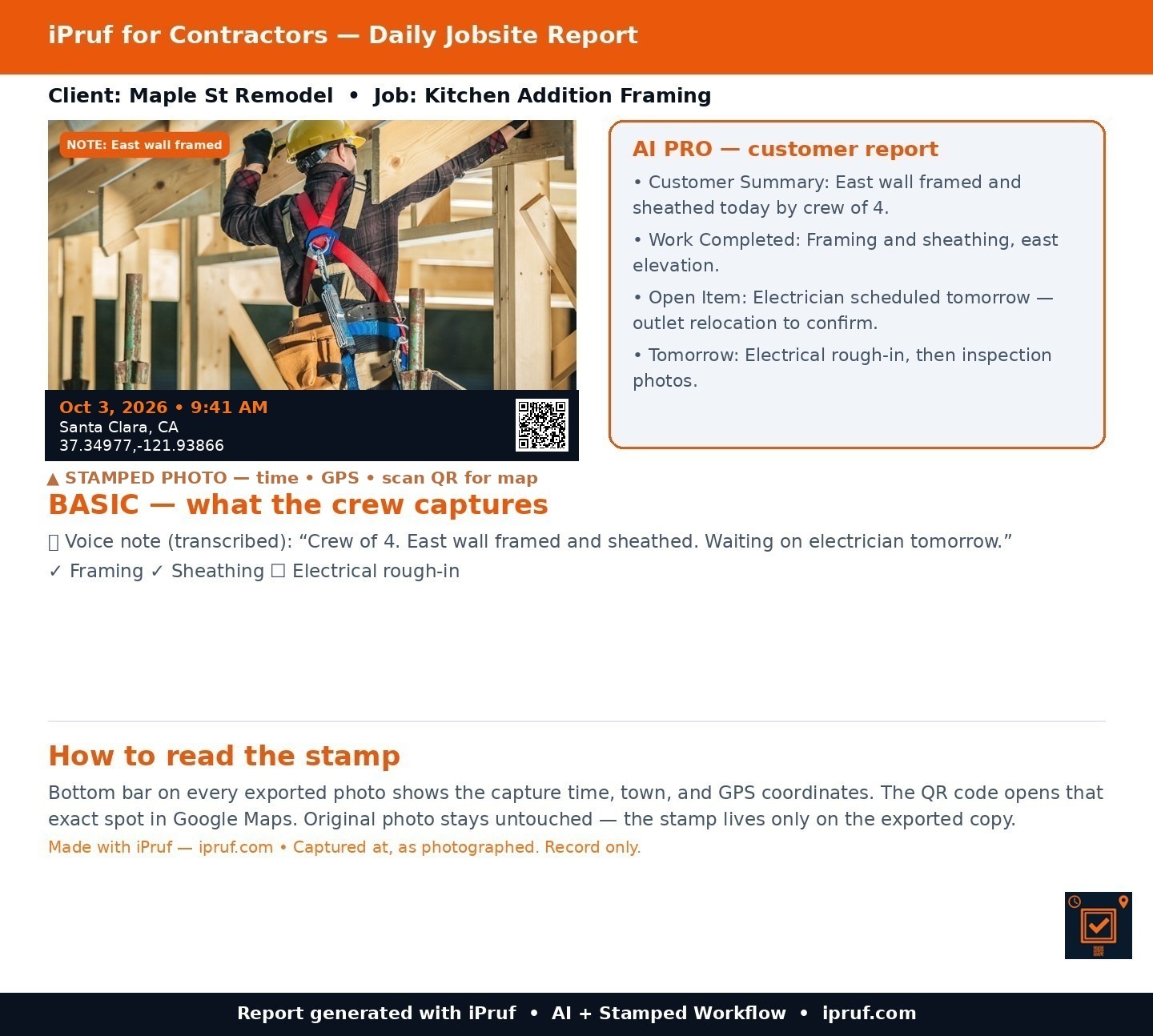
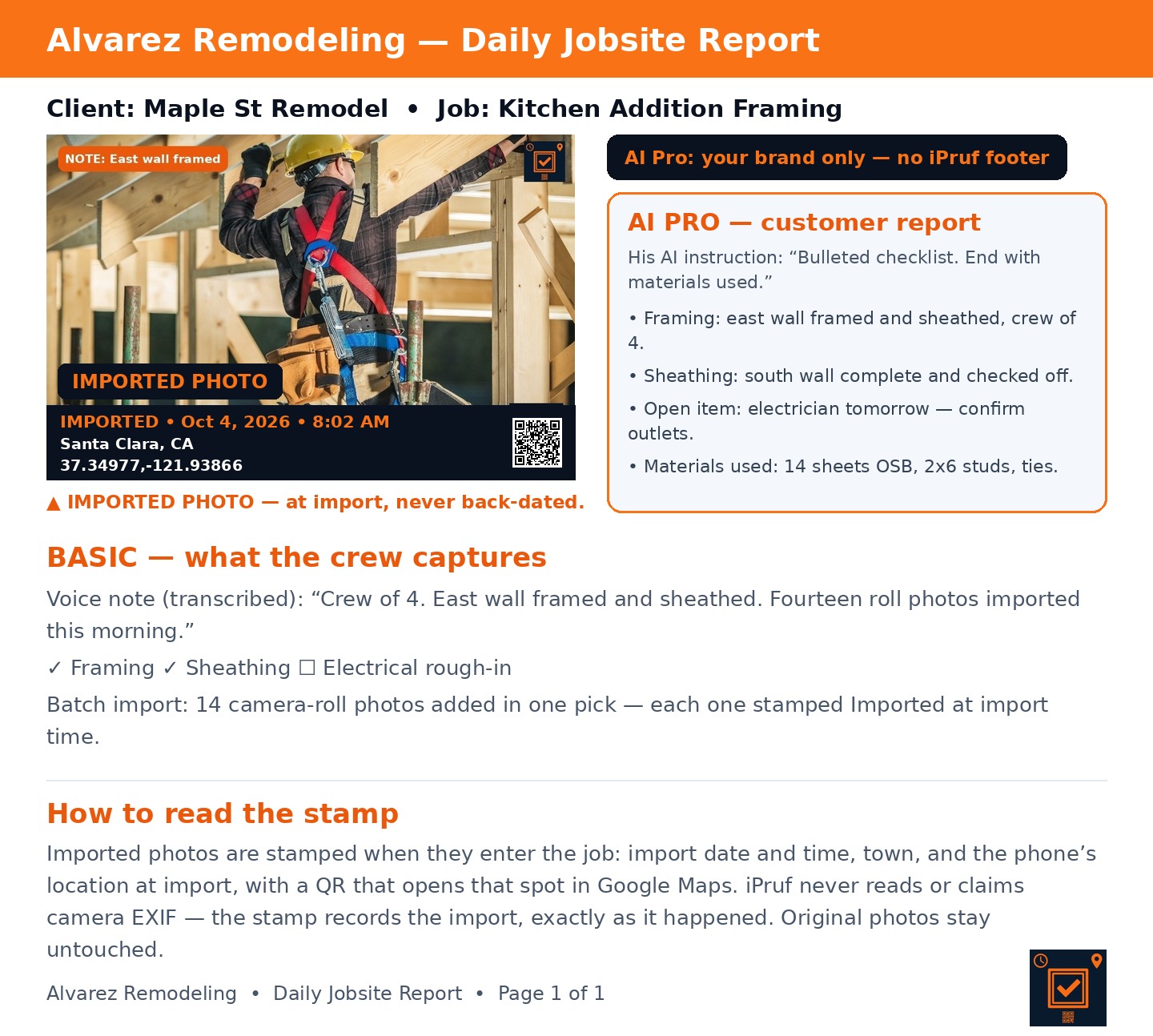
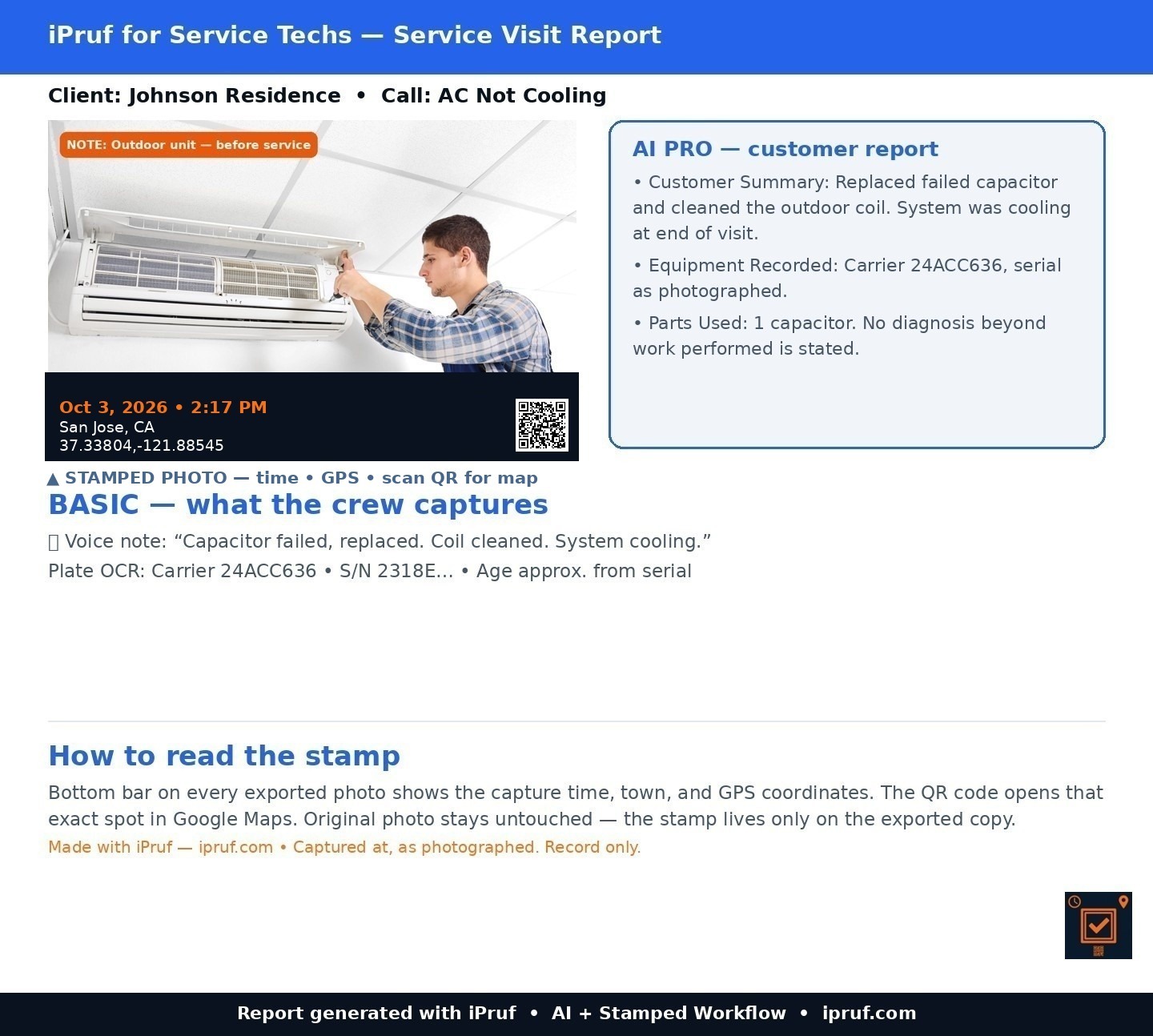
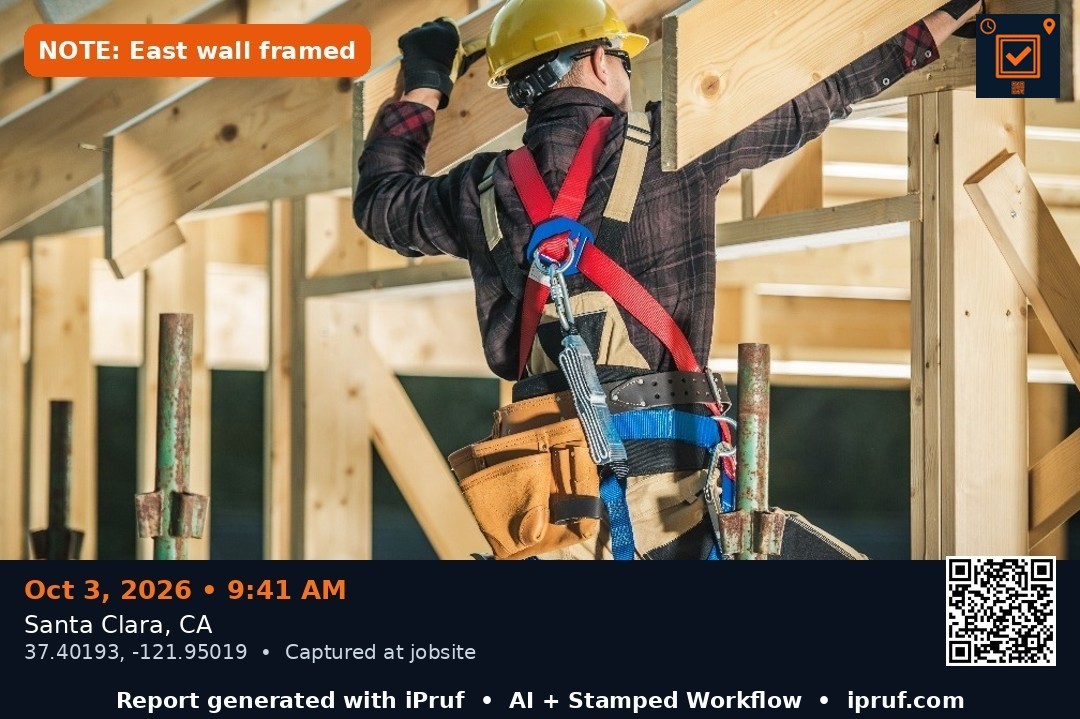
Stamp — date/time, GPS and a Google-Maps QR on every exported photo, using the phone's time and location at capture. Original untouched. Imported photos are labeled “Imported” with the import time and place.
AI — turns your photos and voice notes into a clean customer report. You approve before sending.
Send — branded PDF with the stamped photos attached.
The apps
iPruf for Contractors
Daily jobsite reports with AI Daily Report.
iPruf for Service Techs
Service visit reports with AI Plate Reader Summary.
iPruf for Roofers
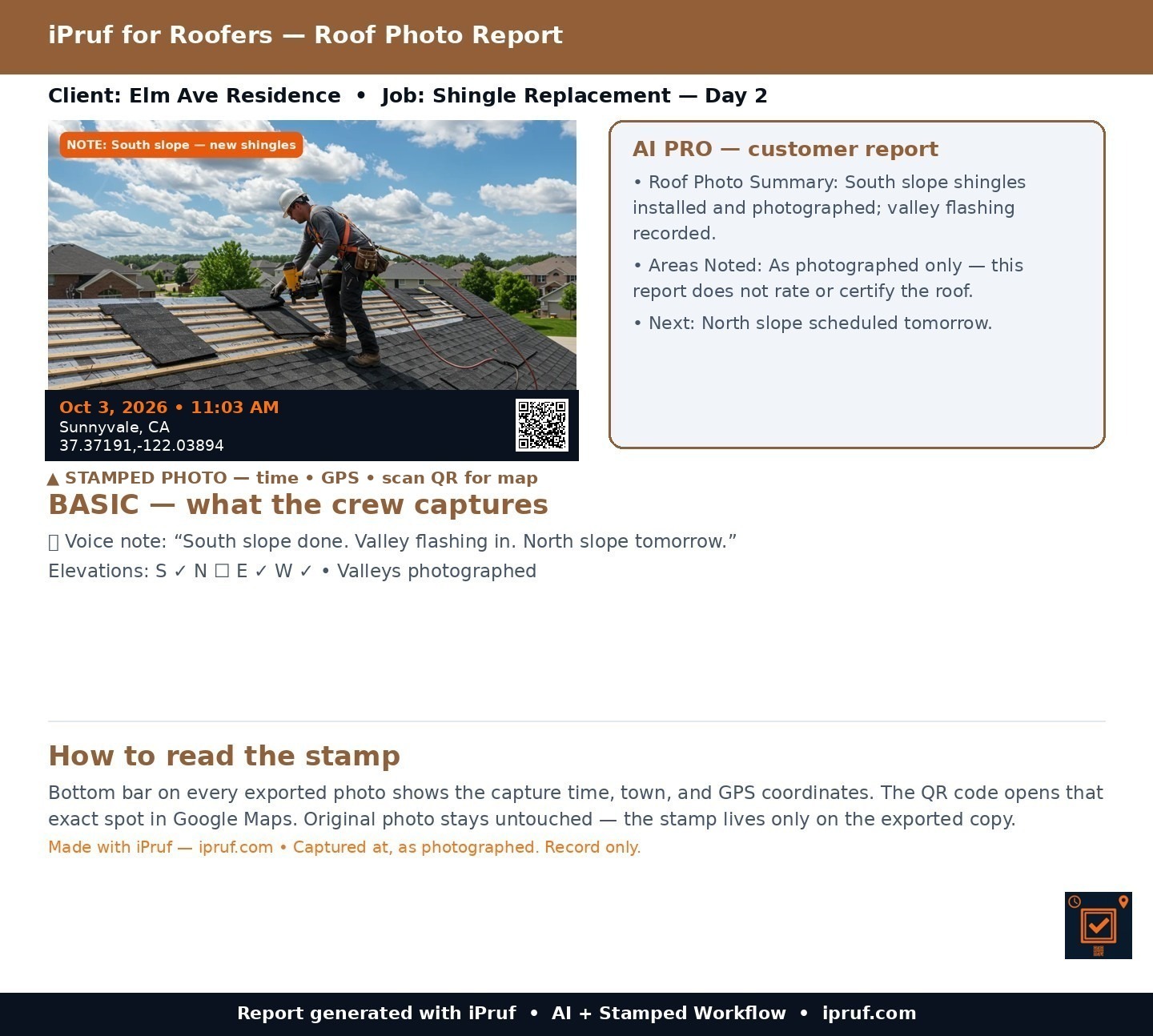
Roof photo reports with AI Roof Report.
iPruf for Cleaners
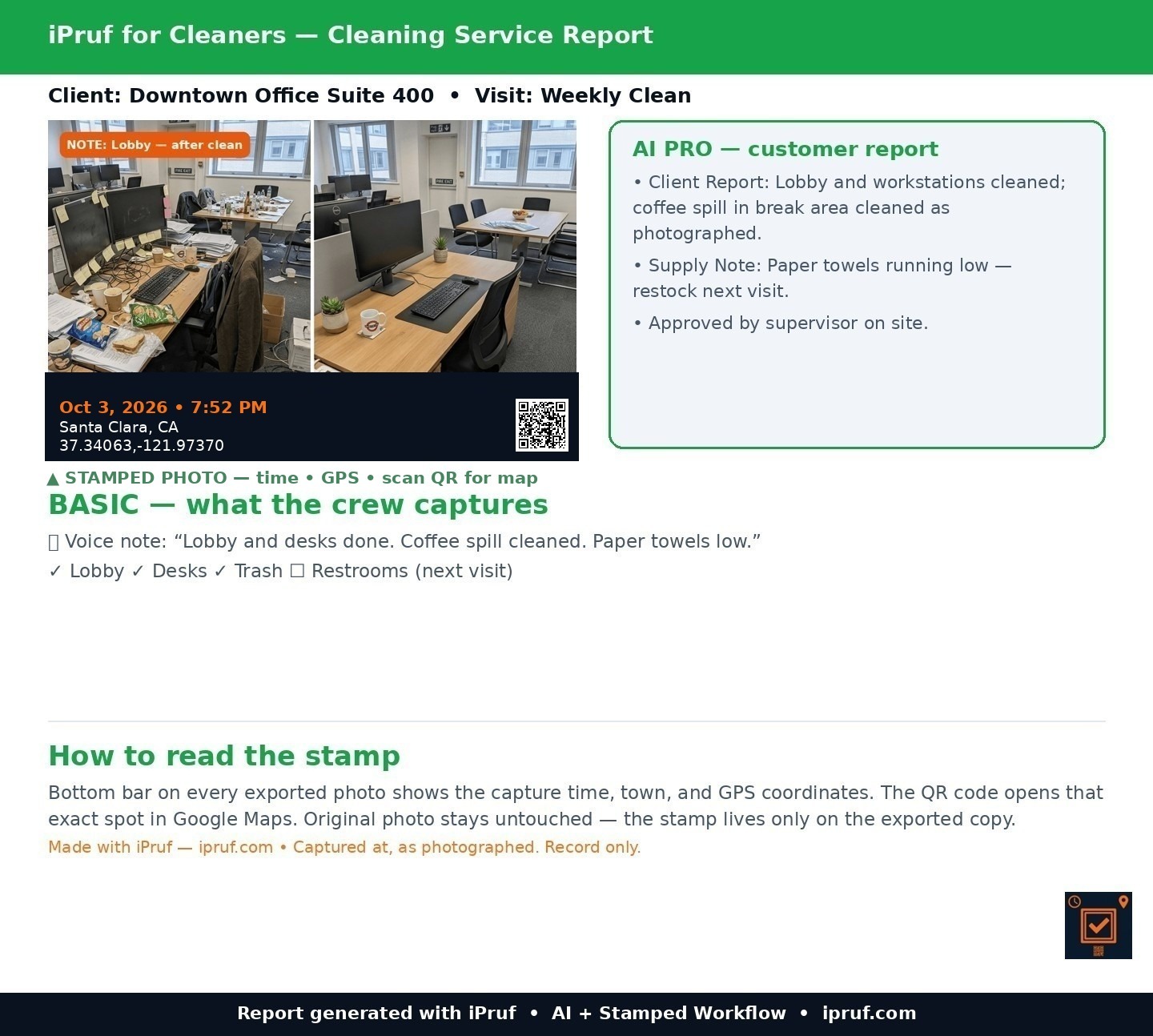
Before/after proof with AI Clean Report.
iPruf for Property
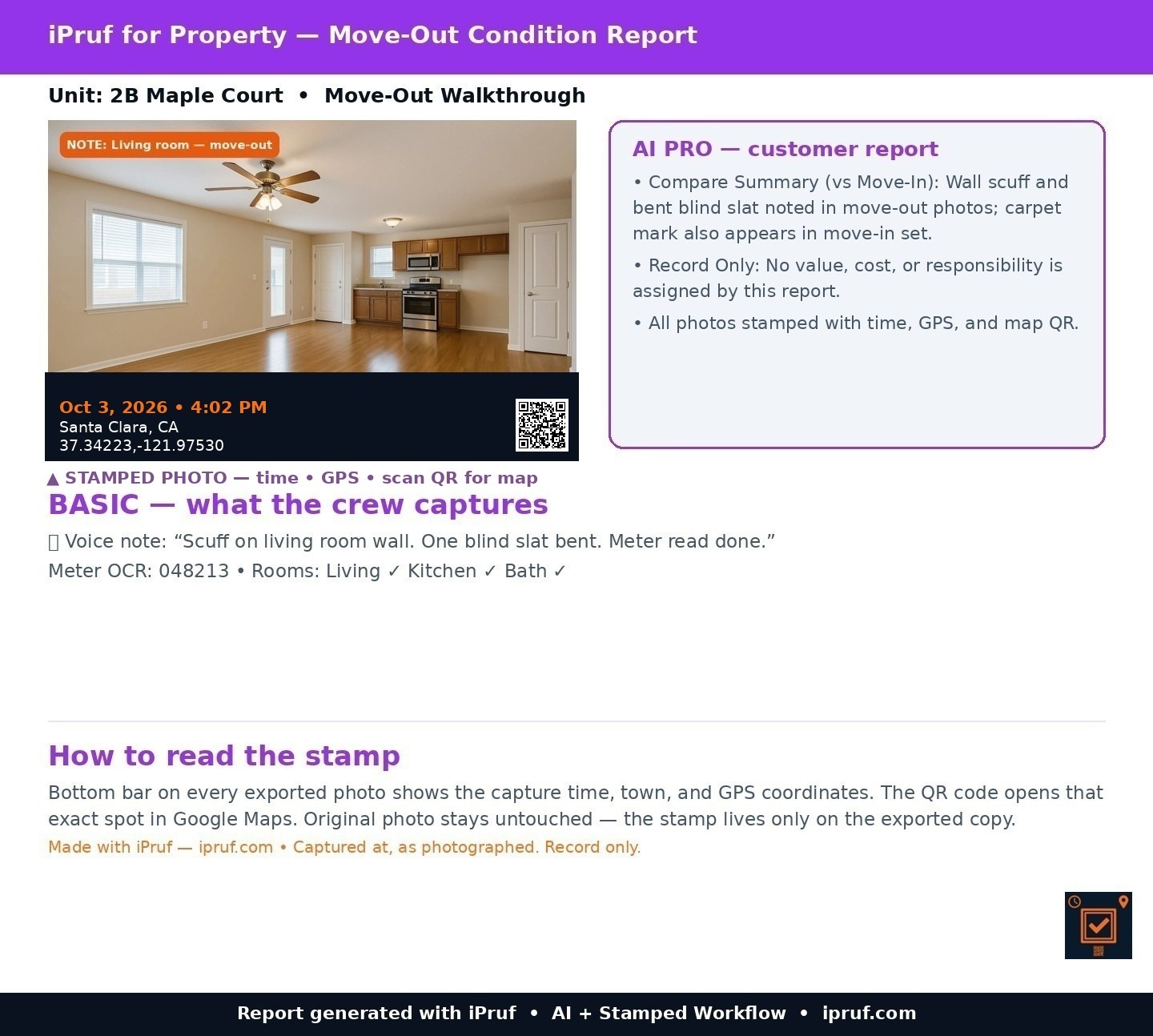
Move-in/out condition reports with AI Compare.
iPruf for Site Teams
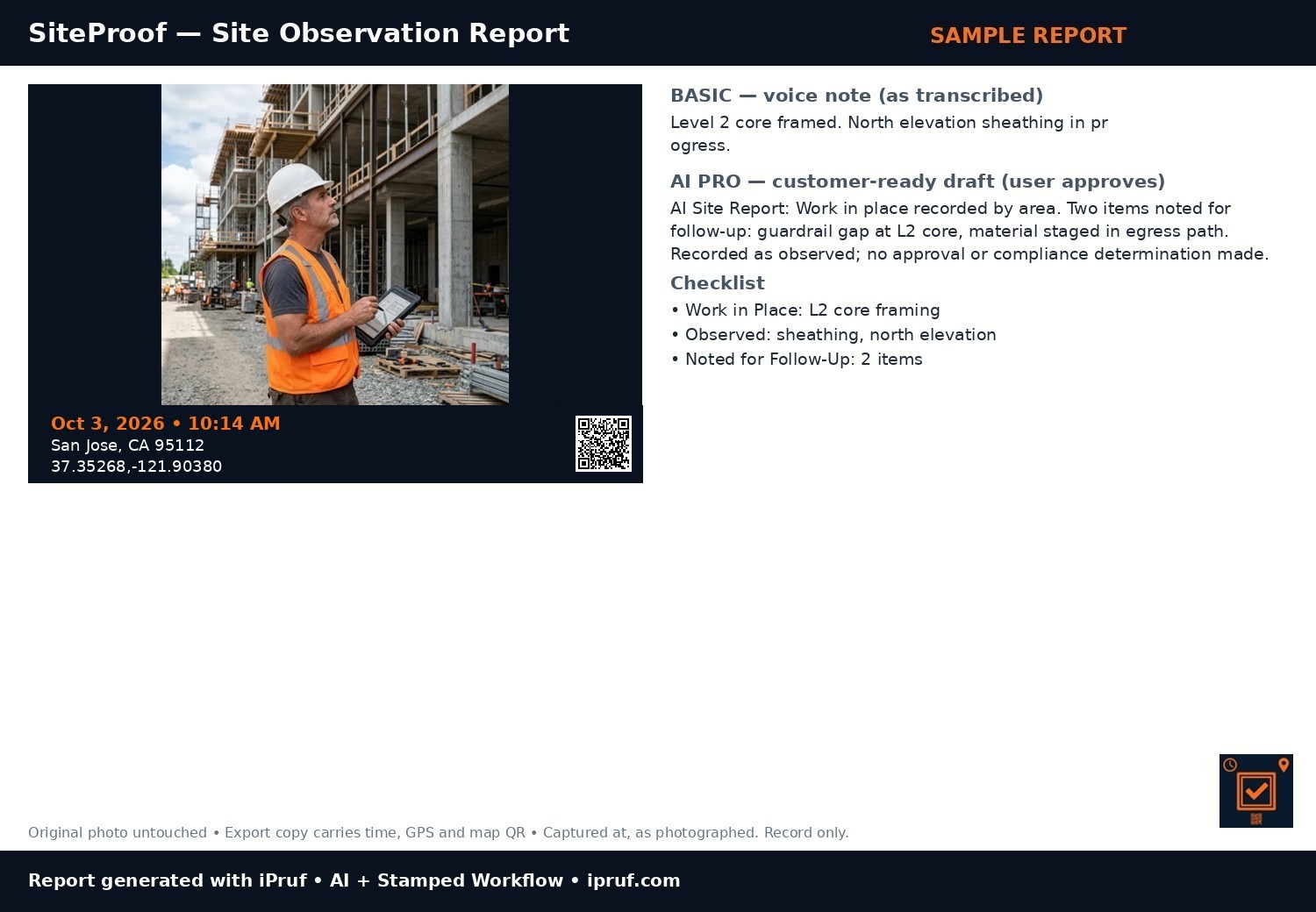
Site observation reports for architects & engineers — AI Site Report.
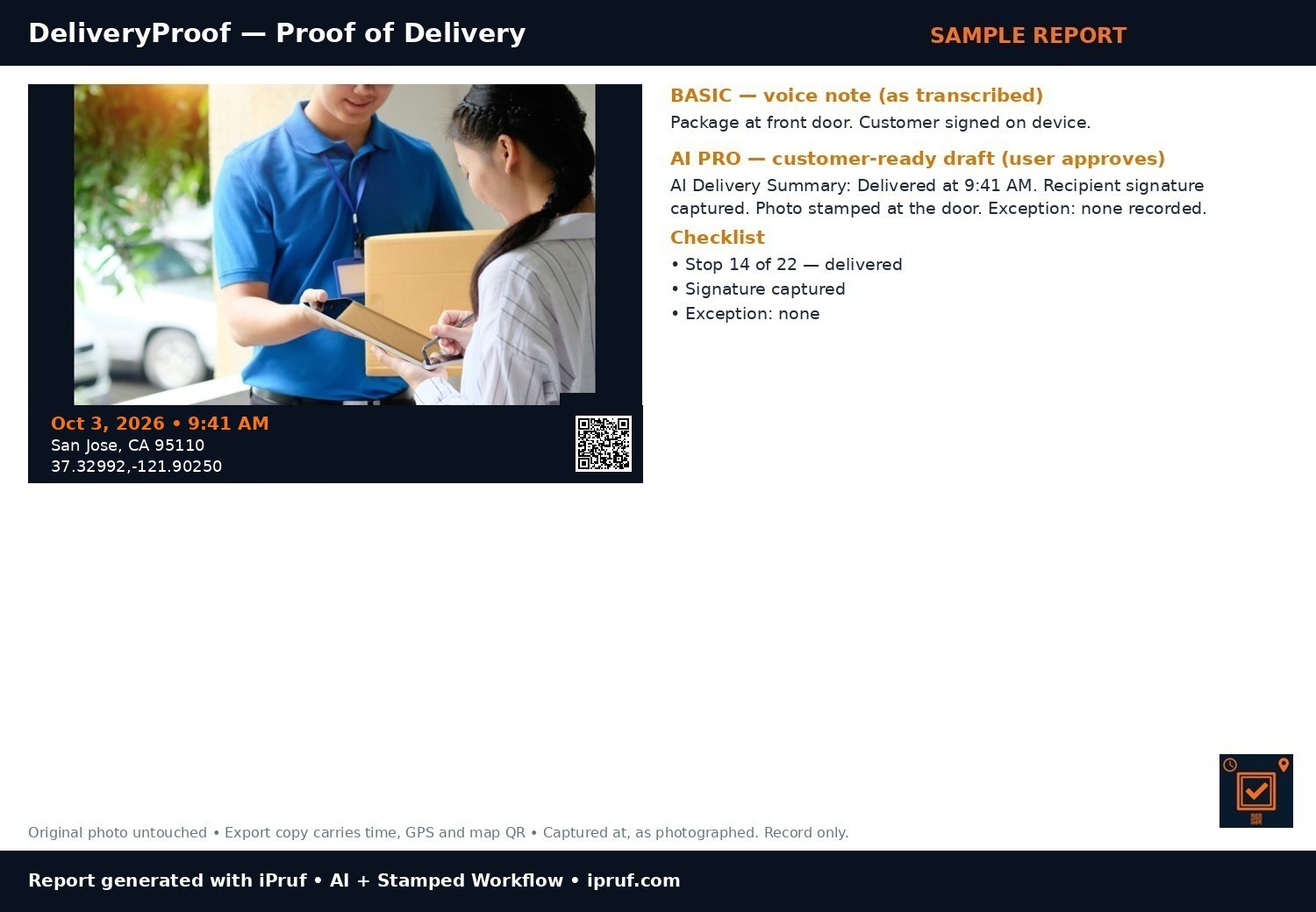
iPruf for Delivery
Proof of delivery with photo, signature & AI Delivery Summary.
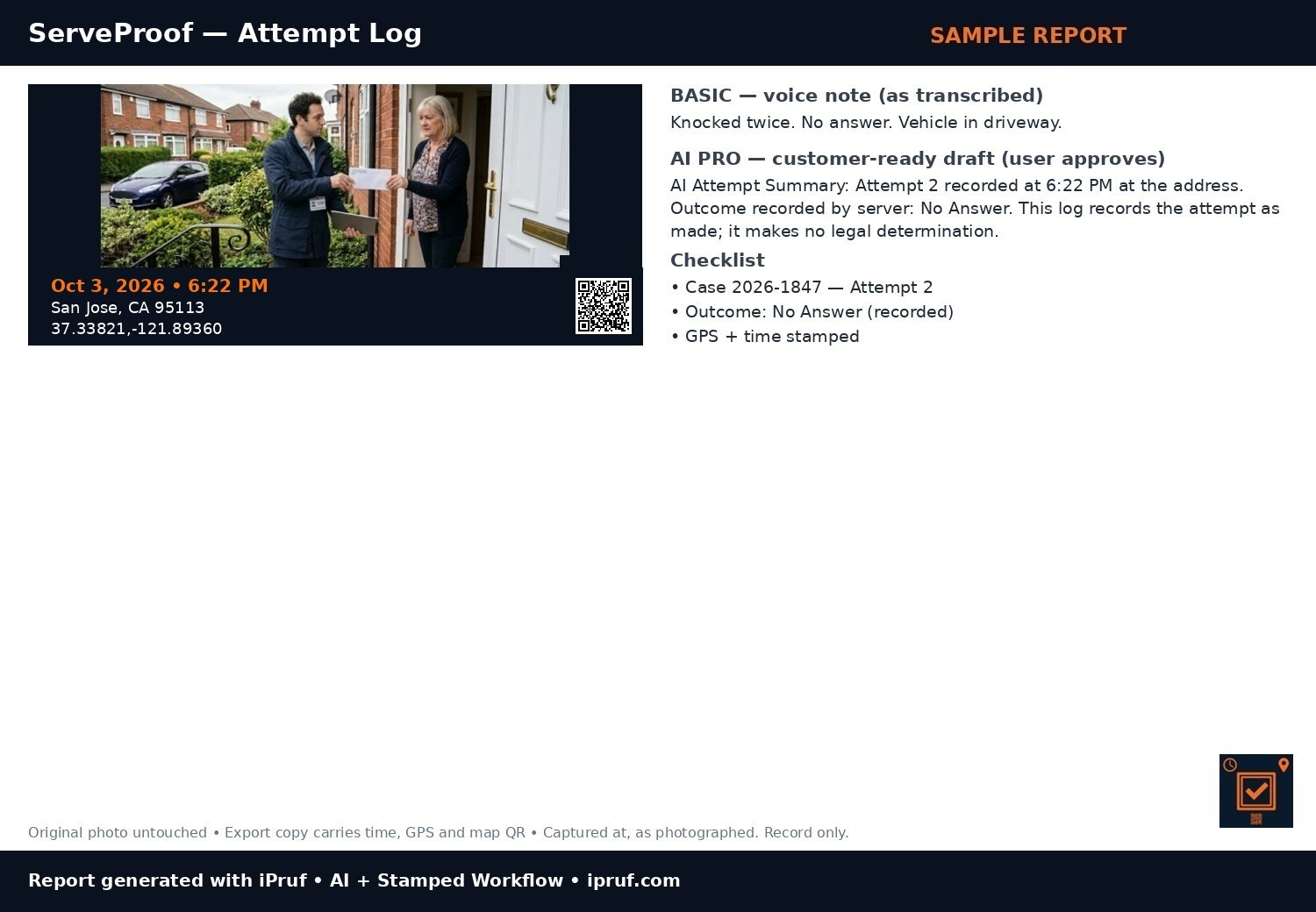
iPruf for Process Servers
GPS/time-stamped attempt logs — AI Attempt Summary.
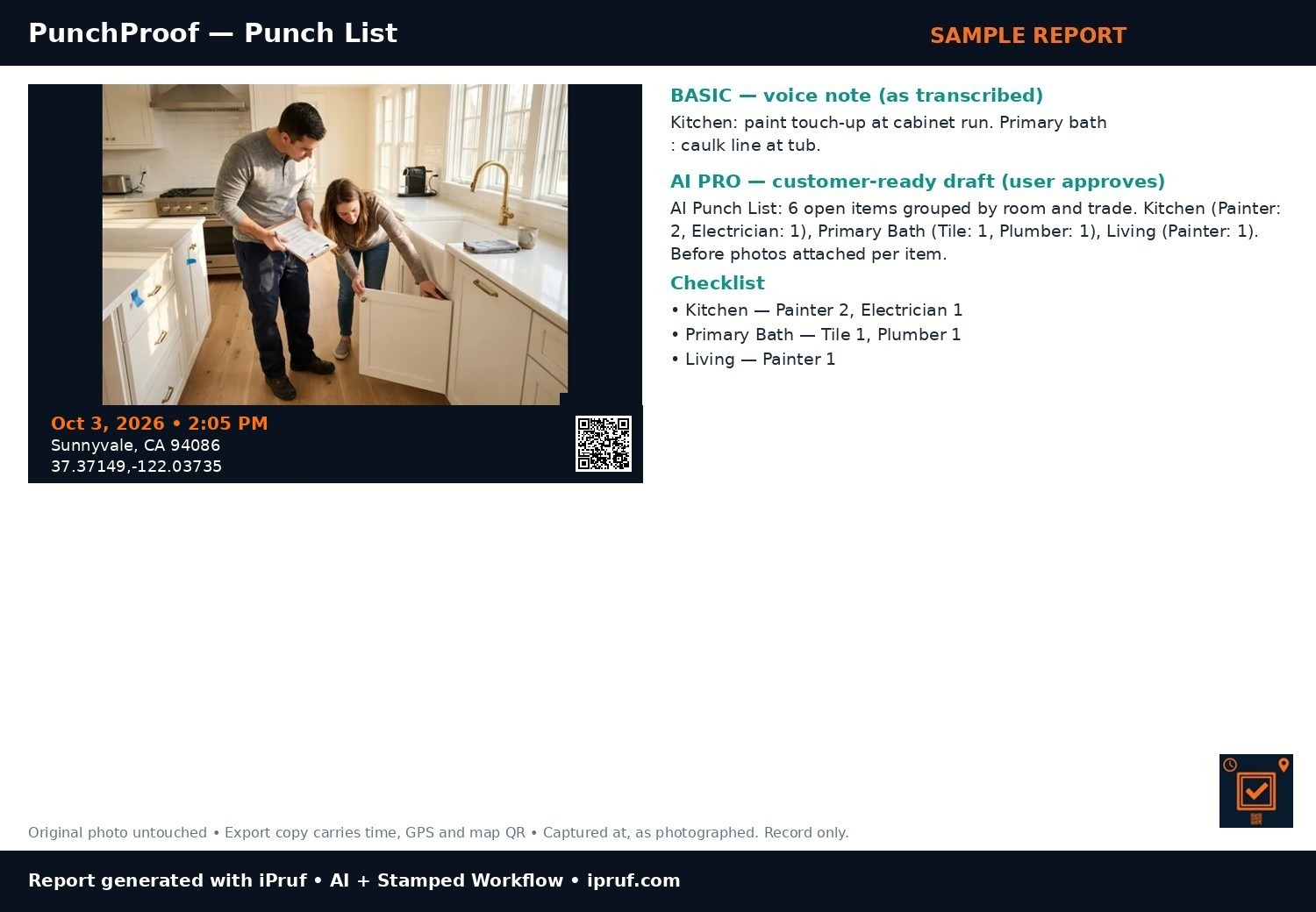
iPruf for Punch Lists
Walkthrough punch lists by room & trade — AI Punch List.
Basic $9.99/mo • AI Pro $19.99/mo — Founding Pricing, locked for early users. Free tier: 3 jobs. App + reports in English, Spanish & Portuguese.
Plans
Free — 3 jobs with full export. After that: view-only in the app, SAMPLE-watermarked previews.
Basic $9.99/mo — unlimited jobs, clean PDF export, stamped photos, annotation, voice notes, checklists, customer acceptance/sign-off, scheduling and period reports.
AI Pro $19.99/mo — everything in Basic, plus AI-drafted customer reports from your photos and voice notes, custom AI instructions, AI period summaries, and your branding only (no iPruf footer).
Built for owner-operators and small crews where the person capturing is the person sending the report. No dispatcher dashboard, no shared office workspace — by design, your jobs stay in your own iCloud.
What AI Pro adds
Your words, your format — custom AI report instructions. Tell the AI once how you like your reports written — bulleted checklist, materials used at the end — and every draft follows it.
Your brand only — AI Pro removes the “Made with iPruf” footer. The report your customer gets carries your company name, front to back.
Import up to 20 photos at once — in every plan: camera-roll photos join the job in one pick, stamped “Imported” with the import time and place. No back-dating, ever.
AI Pro uses your own OpenAI key — a one-time, ~3-minute setup in the app. The key stays in your phone’s Keychain, iPruf never sees it, and OpenAI bills you directly for what you use. Custom AI instructions are saved in your own iCloud, so they follow you across your devices — still no iPruf server.
See the workflow
Click play. Capture → Stamp → AI → Send. That is what your crew does on every job.
Sample reports — click to enlarge
Illustrative sample reports built from trade photos — not real customer jobs. Left is what the crew captures (Basic). Right is the AI-cleaned customer report (AI Pro).
End the “you never came” dispute — every photo carries time, place and a map QR.
No more writing reports at 8pm — talk, and AI drafts it.
Your photos stay in your iCloud. Your AI key stays on your phone. No server in the middle.
Record-only by design: captured at, as photographed. Never certified, never pass/fail.
Company & contact
iPruf is a product of VRITAS LLC, based in Santa Clara, California. Questions: support@ipruf.com.
iPruf apps are in pre-launch. This website does not sell downloads, request passwords, or collect payment-card details. When the apps launch, subscriptions are billed by Apple through the App Store. Your photos and reports stay on your device and in your own iCloud account.
Join the launch list — tell us your trade and we’ll email you when the first app opens.
Try the stamp — live demo
Drag the slider. Left: a normal job photo. Right: the same photo after iPruf stamps it with date, time, GPS and a map QR. The original file stays untouched.
BeforeStamped
Your crew talks. Your customer reads — in their language.
Voice notes become a customer-ready report. Pick the report language:
AI Daily Report — draft for your approval
Work recorded today: framing completed at Level 2, north elevation sheathing in progress. Two items noted for follow-up. Photos stamped at the site with time and location.
Which iPruf app do you need?
Pick what you do — we will point you to the right app and sample report.
Your match will appear here.
What does your crew cost you today?
If your current documentation tool charges about $63 per user/month, move the slider. iPruf AI Pro is $19.99 per person/month. This is a per-seat comparison before bundle discounts or your OpenAI usage.